
Mainframe migration strategy: a technical playbook from inventory to cutover
Most mainframe programs do not fail on the choice of target language. They fail on what was never inventoried: a scheduler definition quietly submitting a few hundred jobs, or a Db2 table with writers on both platforms, found on the cutover weekend. A mainframe migration strategy is the execution plan that prevents that: what you inventory, how you map dependencies, how you sequence waves, how you move data, how you prove equivalence, and how you cut over and switch the old system off.
This post is for modernization leads, enterprise architects and the senior engineers who will perform the work. It assumes you have already picked a disposition for each application. If you have not, read our comparison of rehost, refactor and rearchitect for mainframes first. This is the playbook that comes after that decision. It is also the mainframe chapter of our broader guide to legacy software modernization, and it links to a deeper post for each phase.
Key takeaways
- Build the inventory from evidence: reconcile source to load modules and use SMF data to see what actually runs.
- Group waves by shared data, not by org chart. A table with writers on two platforms is a classic cutover failure.
- Data migration is four workstreams (schema, conversion, movement, validation), and each one needs its own owner.
- Decide the cutover pattern per workload. Batch and online transactions rarely cut over the same way.
- Rollback is a data problem. Define the point of no return before the weekend, not during it.
- Decommissioning has its own lead times: retention, ISV notice periods, media sanitization.
What is a mainframe migration strategy?

A mainframe migration strategy is the sequenced execution plan for moving applications, data, batch workloads and interfaces off a mainframe (or onto a newer one) without changing business behavior. It covers inventory, dependency mapping, wave planning, data migration, target architecture, testing, cutover, rollback and decommissioning, with exit criteria for each phase.
It is not the choice between rehost, refactor, replace or retain. That choice is an input; the strategy turns it into a schedule an operations team can execute at 2 a.m. on a holiday weekend.
The nine phases overlap in practice, but each one produces a specific artifact that the next one consumes:
| Phase | Primary output | Exit criterion |
|---|---|---|
| 1. Inventory | Reconciled catalog of every artifact | Every production load module maps to source or is flagged |
| 2. Dependency mapping | Call, data, job-flow and interface graphs | No unresolved dynamic calls or orphan datasets in scope |
| 3. Wave planning | Ordered waves with shared-data decisions | Each wave's data has exactly one writer platform at any time |
| 4. Data migration | Target schemas, conversion rules, load and reconciliation jobs | Full-volume trial load reconciles to control totals |
| 5. Target architecture | Runtime, data, scheduler and security design | Batch window and other non-functionals met on the target |
| 6. Testing | Baselines, comparison harness, triage process | Equivalence on the agreed corpus; known differences signed off |
| 7. Cutover | Rehearsed runbook with go/no-go gates | Two clean dress rehearsals within the timing budget |
| 8. Rollback | Rollback triggers, reverse-sync mechanism, point of no return | Rollback executed successfully in a rehearsal |
| 9. Decommission | Archive, contract exits, sanitization records | Data retained per policy, hardware returned |
Why the timing pressure is real in 2026
IBM's lifecycle page for z/OS 2.5 lists 30 September 2026 as the date it transitions to extended support or end of support. Shops still on 2.5 face a z/OS 3.x upgrade or paid extended support during a migration; we cover the options in what z/OS 2.5 end of standard support means for your plan. A multi-year exit program has to budget for at least one operating system upgrade cycle, because the platform does not stand still while you leave it.
Phase 1: Inventory everything on the mainframe
Inventory is where most mainframe migration challenges begin. Teams count COBOL lines, multiply by a rate, and call that an inventory. COBOL is still the core of these estates (here is why it persists), but it is usually the best-understood part. The risk sits in everything around it.
A usable inventory is complete across artifact types and reconciled against what is actually deployed and executed, not just what is in the source repository.
What to catalog
| Category | Artifacts | What breaks if you miss it |
|---|---|---|
| Application languages | COBOL, PL/I, HLASM, REXX, Easytrieve, generated 4GL code | Untranslated modules found during testing |
| Copybooks and includes | COBOL copybooks, PL/I %INCLUDEs, HLASM macros, DCLGENs | Wrong record layouts in converted data |
| Job control | JCL, cataloged PROCs, INCLUDE members, symbolic overrides | Jobs behave differently in test and production |
| Online transaction managers | CICS CSD definitions, BMS maps; IMS TM PSBs, MFS, transaction definitions | Missing transactions or wrong screen flows |
| Data stores | Db2 DDL, packages, stored procedures; VSAM clusters and alternate indexes; IMS DBDs; GDGs | Lost integrity rules, wrong key order |
| Scheduling | CA-7, IBM Workload Scheduler (TWS), Control-M definitions, calendars, dataset triggers | Batch runs out of order or not at all |
| Utilities and sort | DFSORT/SYNCSORT control cards, IDCAMS, IEBGENER, ICETOOL | Silent changes in record selection and order |
| Third-party (ISV) products | Output management, encryption, date routines, vendor APIs linked into load modules | No target equivalent; contracts block exit |
| Messaging | IBM MQ queue managers, queues, channels, triggers | Partners stop receiving messages |
| File transfers | FTP/SFTP steps, Connect:Direct processes, partner control members | External partners break on day one |
| Security | RACF, ACF2 or Top Secret profiles, started-task and batch IDs | Batch IDs lose access; audit findings |
Every non-COBOL artifact needs a named owner after the mainframe is gone; our post on everything on the mainframe that is not COBOL covers that ownership question. PL/I and assembler tend to sit at the bottom of call chains; see PL/I and HLASM modernization for how those layers are handled.
Reconcile source to what actually runs
Three reconciliations turn a file listing into an inventory you can plan on:
- Source to load module. Every load module in production load libraries should trace to a source member and a compile listing. Modules without source get flagged on day one, not in wave three.
- Definition to execution. IBM documents that SMF record type 30 carries accounting data for jobs, job steps and started tasks, including an entry for each data set allocated. Twelve to thirteen months of SMF 30 data tells you which jobs and programs actually ran, including annual and year-end jobs.
- Code to data. Every dataset and table in the catalog should have at least one known reader or writer. Orphans are either dead or accessed by something you have not found yet.
The result is usually a smaller scope than the source count suggests. Removing dead code, retired jobs and duplicate copybooks before translation is the cheapest risk reduction in the program.
A single job, read as an inventory problem
Here is a short, ordinary nightly job. Every step hides something an inventory has to catch.
//NIGHTLY JOB (ACCT),'POSTING',CLASS=A,MSGCLASS=X
// SET ENV=PROD
//STEP010 EXEC PROC=ACCTPOST,HLQ=&ENV
//STEP020 EXEC PGM=SORT
//SORTIN DD DSN=&ENV..ACCT.POSTED(0),DISP=SHR
//SORTOUT DD DSN=&ENV..ACCT.SORTED,DISP=(NEW,CATLG,DELETE),
// SPACE=(CYL,(50,10),RLSE),UNIT=SYSDA
//SYSOUT DD SYSOUT=*
//SYSIN DD *
SORT FIELDS=(1,10,CH,A,11,4,PD,D)
/*
//STEP030 EXEC PGM=IDCAMS
//SYSPRINT DD SYSOUT=*
//IN DD DSN=&ENV..ACCT.SORTED,DISP=SHR
//OUT DD DSN=&ENV..ACCT.MASTER.KSDS,DISP=OLD
//SYSIN DD *
REPRO INFILE(IN) OUTFILE(OUT) REPLACE
/*
//STEP040 EXEC PGM=FTP,PARM='(EXIT'
//INPUT DD DSN=PROD.FTP.CNTL(PARTNERX),DISP=SHR
//OUTPUT DD SYSOUT=*
- STEP010 runs a cataloged PROC whose program list lives in a PROCLIB member; the HLQ symbolic changes which datasets it touches.
- (0) is a GDG relative generation. The target needs equivalent versioning, and restart logic depends on it.
- The sort key mixes a character field with a packed-decimal field. ASCII sorts digits before letters; EBCDIC sorts letters before digits. The KSDS load in STEP030 expects key order, so the converted job can fail or silently reorder records downstream.
- STEP040 sends a file to a partner via a control member. The partner's host, credentials and firewall rules are invisible to the application team.
None of that is visible from a COBOL line count. The JCL migration post covers how each of these constructs maps to Spring Batch, Airflow or a cloud scheduler.
Phase 2: Map dependencies across code, data and jobs
Dependency mapping turns the inventory into graphs you can cut. You need at least four, because each one reveals couplings the others hide.
| Graph | Nodes | Edges | Typical source of truth |
|---|---|---|---|
| Call graph | Programs, PROCs, subroutines | Static and dynamic CALL, CICS LINK/XCTL, IMS program switches | Parsed source plus runtime evidence |
| Data graph | Programs, datasets, tables, segments | Read, write, update, delete (with the record layout used) | Parsed source, JCL DD statements, Db2 catalog |
| Job-flow graph | Jobs, schedules, triggers | Predecessor, successor, dataset trigger, calendar | Scheduler database exports |
| Interface graph | Applications, partners, queues | MQ puts/gets, file transfers, APIs, screen scraping | MQ definitions, transfer control members, network logs |
Dynamic calls are where grep stops working
Static calls are easy. The problem is code like this, which appears in some form in most large COBOL estates:
WORKING-STORAGE SECTION.
01 WS-PGM-NAME PIC X(8).
01 WS-TXN-CODE PIC X(4).
EXEC SQL INCLUDE SQLCA END-EXEC.
PROCEDURE DIVISION USING TXN-COMMAREA.
MOVE CA-TXN-CODE TO WS-TXN-CODE
EXEC SQL
SELECT HANDLER_PGM
INTO :WS-PGM-NAME
FROM TXN_ROUTING
WHERE TXN_CODE = :WS-TXN-CODE
END-EXEC
IF SQLCODE = 0
CALL WS-PGM-NAME USING TXN-COMMAREA
ELSE
PERFORM 9000-UNKNOWN-TXN
END-IF
GOBACK.
The call graph for this program lives in a Db2 table. A text search finds no reference to the handler programs, so they look dead. Resolving it takes data-flow analysis (where can WS-PGM-NAME get its value?) plus a query of the production routing table. The same pattern appears as EXEC CICS LINK PROGRAM(WS-PGM-NAME) and in program names read from parameter files.
A related trap is the compiler option DYNAM, which makes even CALL 'LITERAL' resolve at run time. That affects how modules are packaged on the target, not just how they are discovered.
The graphs should give you three things: clusters of programs and data that must move together, shared-data hotspots that decide wave boundaries, and a list of interface contracts, each with an owner and a test. Building them by hand does not scale past a few hundred programs. Parser-based analysis does, and it also gives testers and analysts a business-rule view. See legacy code analysis and business rules extraction for what good analysis output looks like.
Phase 3: Plan and sequence migration waves
Wave planning is where a mainframe migration strategy becomes a schedule: what moves together, and in what order. Microsoft's Cloud Adoption Framework planning guidance recommends grouping workloads by dependencies into waves, starting with lower-risk workloads and moving non-production environments first. That advice applies to mainframes, with one addition: the dependency that matters most is shared data.
Rules that hold up on real estates
- One writer platform per data store at any moment. Dual writers across platforms need distributed locking or two-phase commit. Avoid it: move all writers of a store in the same wave, or keep the store on one platform and give the other side remote access.
- Move batch chains whole. A job stream with predecessors split across platforms adds file transfers and timing dependencies to the critical path of the batch window.
- Make wave one representative, not trivial. It should exercise a CICS transaction, a Db2 batch job, a VSAM file, an MQ interface and a file transfer. A reporting-only wave proves little.
- Put the hardest cluster in the middle. By then the team and tooling are calibrated; by the last wave, budget and patience are thin.
- Respect business calendars. No cutover near month-end, quarter-end, year-end or your industry's peak season.
When data has to be shared during the transition
When both platforms need the same data for a period, you have three options, in rough order of preference:
- Keep the data on the mainframe and access it remotely from migrated programs until the last writer moves. AWS publishes a replatforming pattern that does exactly this, keeping Db2 for z/OS on premises as a shared database while transaction processing moves to AWS. Watch network latency for chatty batch programs that issue millions of single-row calls.
- Move the data first and give the mainframe remote access. Less common, because mainframe programs then pay the latency.
- Replicate with change data capture in one direction, with the target read-only until cutover. This works for reporting and inquiry workloads, not for shared updates.
These incremental approaches are a form of the strangler fig pattern, with a known failure mode where the core never moves; see why strangler fig migrations stall at 40% before you commit to a long tail of coexistence.
Phase 4: Mainframe data migration strategy
Mainframe data migration is often the longest workstream, yet it is frequently scheduled as a utility task at the end. It is really four workstreams, each needing an owner.
| Workstream | Questions it answers | Typical deliverables |
|---|---|---|
| Schema conversion | What does each VSAM file, IMS segment, GDG and Db2 object become? | Target DDL, key and index design, mapping of REDEFINES and OCCURS |
| Data conversion | How does each field change encoding and type? | Per-field rules for code page, packed and binary decimals, dates, LOW-VALUES and HIGH-VALUES |
| Movement | How do bytes get from z/OS to the target, and how long does it take? | Unload jobs, transfer path, load jobs, change data capture for deltas |
| Validation | How do we prove the data arrived intact? | Control totals, row counts, checksums, field-level comparisons, exception reports |
A copybook is a schema with surprises
Consider a typical customer master record:
01 CUST-MASTER-REC.
05 CM-CUST-ID PIC X(10).
05 CM-REC-TYPE PIC X(01).
88 CM-PERSONAL VALUE 'P'.
88 CM-BUSINESS VALUE 'B'.
05 CM-BALANCE PIC S9(11)V99 COMP-3.
05 CM-OPEN-DATE PIC 9(07) COMP-3.
05 CM-DETAIL PIC X(40).
05 CM-PERSONAL-DTL REDEFINES CM-DETAIL.
10 CM-BIRTH-DATE PIC 9(08).
10 CM-TAX-ID PIC X(09).
10 FILLER PIC X(23).
05 CM-BUSINESS-DTL REDEFINES CM-DETAIL.
10 CM-DUNS-NO PIC X(09).
10 CM-SIC-CODE PIC X(04).
10 CM-LEGAL-NAME PIC X(27).
A reasonable relational target looks like this:
CREATE TABLE customer (
cust_id CHAR(10) NOT NULL PRIMARY KEY,
rec_type CHAR(1) NOT NULL CHECK (rec_type IN ('P', 'B')),
balance DECIMAL(13,2) NOT NULL,
open_date DATE NOT NULL,
birth_date DATE,
tax_id CHAR(9),
duns_no CHAR(9),
sic_code CHAR(4),
legal_name VARCHAR(27),
CONSTRAINT ck_detail_by_type CHECK (
(rec_type = 'P' AND duns_no IS NULL AND sic_code IS NULL AND legal_name IS NULL)
OR (rec_type = 'B' AND birth_date IS NULL AND tax_id IS NULL))
);
The gotchas are in the data, not the DDL:
- The REDEFINES discriminator is only as good as the data. Profiling often finds type codes matching neither 88-level, written by a program fixed years ago. The load needs an exception path, not a crash.
- CM-BALANCE is 13 packed digits in 7 bytes. The preferred sign nibbles are C (plus), D (minus) and F (unsigned), and the hardware also accepts B as minus. A converter that treats anything other than C as negative will flip every F-signed value.
- CM-OPEN-DATE is seven digits. Here it is CYYMMDD, with C as a century flag. The copybook does not say so; only the code that reads it does.
- LOW-VALUES in date fields often mean "not set". The target needs NULL, a sentinel, or a rule, and the NOT NULL constraint above may be wrong for historical rows.
The type-level detail (precision, rounding, OCCURS DEPENDING ON) is covered in COBOL data types in Java and C#. The store-by-store approach for VSAM, IMS and Db2 is in mainframe data migration from VSAM, IMS and Db2.
Movement: bulk load plus deltas
For large volumes, the standard pattern is a bulk unload and load days or weeks before cutover, then change data capture (or timestamp-based delta unloads) to bring the target current. The cutover window carries only the final delta.
Measure throughput on a full-volume trial, not a sample: unload, transfer, conversion, and load including index builds. The slowest stage sets your freeze window. If it does not fit in a weekend, add parallelism or a delta mechanism.
Validation: reconcile against control totals
Every unload job should emit control totals (counts and sums of key numeric fields by category), and every load should reproduce them on the target.
-- Run on the target after each load; compare with totals from the z/OS unload step
SELECT rec_type,
COUNT(*) AS row_count,
SUM(balance) AS balance_total
FROM customer
GROUP BY rec_type
ORDER BY rec_type;
Counts and sums catch lost and duplicated rows, not a transposed field or a wrong date rule, so add field-level comparisons on a sample and full comparisons on financial fields. MIN and MAX of character keys will differ between platforms because of collation, even when the data is identical.
Phase 5: Choose the target architecture
In a mainframe to cloud migration, the target is decided per wave within guardrails set once for the program:
| Target pattern | Code on the target | Online and batch runtime | Fits when | Watch out for |
|---|---|---|---|---|
| Rehost on emulation | Original COBOL/PL/I, recompiled | CICS/IMS and JCL emulation | Deadline-driven exit, stable code | Runtime licensing; skills problem remains |
| Automated refactor | Java or C# translated from source | Containers or app server; batch framework | Large estate whose rules must be preserved | Translation quality varies by tool; test it |
| Rearchitect or rewrite | New design | Cloud-native services | Small, well-understood domains or changed business process | Lost business rules, long timelines |
| Retain and upgrade | Unchanged | z/OS 3.x | Workloads where the platform is the right fit | Cost and skills over the long term |
Each cloud provider documents a path. The AWS mainframe modernization docs describe two patterns: automated refactoring through AWS Transform for mainframe and replatforming on Rocket Software's Enterprise suite. The same page states that both the AWS Mainframe Modernization managed runtime and self-managed experiences are no longer open to new customers, so check the current status before you design around them. Google Cloud's mainframe modernization overview splits the work into assess, modernize and validate, with a Mainframe Connector for data conversion out of EBCDIC formats.
Whatever the pattern, map every mainframe subsystem to a named target component with an owner:
- CICS and IMS TM transactions to service endpoints; the CICS migration post covers pseudo-conversational state, COMMAREAs and BMS maps.
- JCL and the scheduler to a batch framework plus enterprise scheduler, with restart semantics preserved.
- VSAM, IMS DB and Db2 to a relational database, with collation chosen deliberately.
- MQ to MQ on the target, keeping message formats byte-compatible for partners.
- RACF, ACF2 or Top Secret profiles to the target access model, including batch identities.
Phase 6: Testing strategy for functional equivalence
Testing is where the schedule is won or lost. The objective is narrower than in new development: prove the target produces the same results as the source for the same inputs. AWS's mainframe journey documentation lists the same core activity, to "compare source and target test results" and build automated scenario execution pipelines.
A workable test strategy has these layers:
- Baseline capture. Record production inputs and outputs for representative cycles, including month-end and year-end. Mask sensitive data before it leaves the mainframe.
- Batch output comparison. Compare files, tables and reports field by field after normalizing timestamps and job IDs.
- Online transaction replay. Replay captured transactions against both systems; compare responses and database side effects.
- Data reconciliation. The phase 4 checks, after every trial load.
- Performance. Full-volume batch against the real window, not the average night.
- Resilience and DR. Fail over the target and confirm restart from checkpoints.
Parallel comparison can be tooled: Google Cloud's Dual Run runs workloads on the mainframe and Google Cloud simultaneously and compares the outputs.
Keep a signed-off register of accepted differences (sort order, floating-point rounding, pagination); everything else is a defect. The full method is in migration testing and functional equivalence.
Phase 7: Cutover patterns and the cutover plan
Most mainframe migration strategies use more than one of the three basic cutover patterns.
| Pattern | How it works | Downtime | Rollback | Best for |
|---|---|---|---|---|
| Big bang | All workloads in scope switch in one window | One planned outage, often a long weekend | Hard once the target takes writes | Small or tightly coupled estates |
| Phased (by wave) | Each wave cuts over separately, with interim bridges | Several short outages | Per wave | Most large estates |
| Parallel run | Both systems process production input; outputs compared before the switch | Minimal at switch time | Easy until the switch | High-risk batch and financial processing |
For online traffic, AWS documents a blue/green cutover that shifts traffic through DNS, all at once or weighted, and redirects back to the mainframe if problems appear. Batch is different: cut it over at a cycle boundary, after month-end closes, so no business cycle is split across platforms.
Cutover checklist
| When | Task | Owner | Go/no-go evidence |
|---|---|---|---|
| T-8 weeks | Freeze scope; publish the runbook with named owners per step | Program lead | Signed runbook |
| T-6 weeks | Dress rehearsal 1 on production-size data | Cutover lead | Timings recorded per step |
| T-4 weeks | Notify partners, regulators and help desk of the window | Business owner | Acknowledgements received |
| T-3 weeks | Dress rehearsal 2, including a rollback | Cutover lead | Both within timing budget |
| T-2 weeks | Code freeze on z/OS for in-scope programs | Development lead | Change log empty or re-translated |
| T-1 week | Final bulk load; CDC running and lag measured | Data lead | Reconciliation clean |
| T-1 day | Go/no-go meeting against written criteria | Steering group | Recorded decision |
| T-0 | Stop online input; drain queues; final batch cycle on z/OS | Operations | Queues at zero, batch complete |
| T-0 | Final delta load and reconciliation | Data lead | Control totals match |
| T-0 | Switch scheduler, DNS, MQ channels and file transfer endpoints | Infrastructure | Smoke tests pass |
| T+0 | Business verification of key transactions and reports | Business owner | Sign-off |
| T+1 to T+30 | Hypercare; mainframe kept in read-only standby | Operations | Incident trend falling |
Phase 8: Rollback planning
Rollback is easy until the target accepts its first production write. After that, it means moving new writes back to the mainframe: a second data migration in reverse.
Microsoft's planning guidance says to define rollback criteria and test the rollback before any migration. For mainframes, that means three decisions made in advance:
- Triggers. Measurable conditions: reconciliation failure, error rate above a threshold, batch window overrun.
- Mechanism. Reverse CDC from target to mainframe, or a transaction journal replayable against z/OS.
- Point of no return. When rollback costs more than fixing forward, usually the first batch cycle that sends external outputs such as statements or payment files.
Phase 9: Decommission the mainframe
Decommissioning has its own lead times; start it when the last wave enters testing.
- Keep the mainframe read-only for an agreed number of business cycles.
- Archive retained data in a format readable without the mainframe, with the copybooks that describe it.
- Give notice on ISV contracts; many have long notice periods.
- End software and hardware agreements in step with the last wave.
- Sanitize storage media and record it; NIST's SP 800-88 Rev. 2 media sanitization guidelines are the usual reference.
- Update DR plans, runbooks and audit evidence to remove the mainframe.
Example mainframe migration timeline
This is an illustrative plan, not a benchmark: a 6-million-line COBOL estate with CICS, Db2, VSAM, about 4,000 batch jobs, and some PL/I, moving to Java on a cloud platform through automated refactoring in three waves.
| Months | Workstream activity |
|---|---|
| 0–3 | Inventory, SMF reconciliation, dependency graphs, target architecture decisions |
| 2–5 | Pilot: one representative cluster translated, tested and run end to end |
| 4–8 | Data conversion rules, test harness, baseline capture |
| 6–11 | Wave 1: batch reporting plus one online application; cutover at quarter boundary |
| 10–17 | Wave 2: core online transactions and shared Db2 tables |
| 15–21 | Wave 3: remaining batch, PL/I components, partner interfaces |
| 20–22 | Final parallel run and cutover of the last wave |
| 22–26 | Read-only standby, archive, contract exits, decommission |
The overlaps are deliberate. Translation of wave 2 should start while wave 1 is in testing.
Where deterministic translation fits in the plan
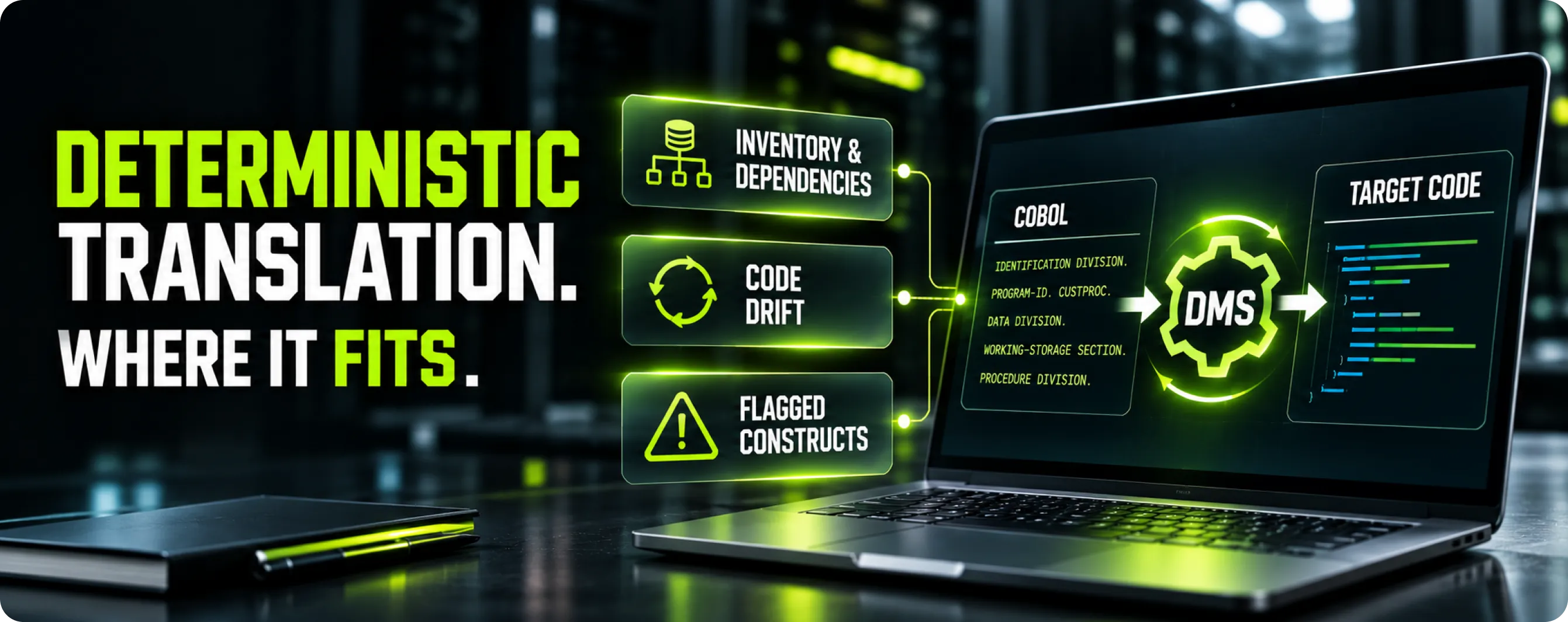
Automated translation helps in some phases and not others. Here is where Modernize Software's DMS transformation engine fits, and where it does not.
- Inventory and dependency mapping. DMS parses source with full grammars; Modernize Software reports 13–15 COBOL dialects and 40+ languages overall. Phase 2 becomes computed call and data graphs rather than a spreadsheet exercise.
- Code drift during long programs. The mainframe keeps changing while you migrate. Because translation is deterministic (same input, same output), re-translating a changed program yields a diff containing only the real change, which can shorten the code freeze in the checklist.
- Flagged constructs. Modernize Software says constructs that cannot be translated deterministically are flagged for engineer review, not guessed at.
What it does not do: choose your target architecture (our legacy modernization hub guide compares the approaches), negotiate ISV exits, or run your cutover. Data conversion rules still need business decisions. For COBOL work, our COBOL modernization service combines the engine with the planning described here.
Case example: what the public record shows
Modernize Software reports converting an unnamed financial services firm's Fujitsu NetCOBOL application with embedded SQL, more than 500,000 lines, to C# in under six months. The embedded SQL is the relevant detail here: data access has to move with the code, which is why the phase 2 data graph matters as much as the call graph.
At the other end of the scale, Semantic Designs built analysis tools for the US Social Security Administration covering more than 200 million lines of COBOL, Assembler, SQL, JCL and Java. That was an analysis engagement, not a migration, and it shows that phases 1 and 2 can be automated at very large scale.
GAO's 2025 review found that 8 of the 11 federal legacy systems most in need of modernization use outdated languages, including COBOL and assembly.
Frequently asked questions
1. How long does a mainframe migration take?
It depends on scope, language mix and data complexity more than on line count. A small batch-only application can move in months; an estate with millions of lines, CICS or IMS, PL/I or assembler, and many partner interfaces is a multi-year program delivered in waves. Testing and data migration usually set the critical path, not code conversion.
2. What are the biggest mainframe migration challenges?
The most common are incomplete inventories, dynamic calls and hidden dependencies, shared data with writers on two platforms, data conversion details such as packed decimals and dates, EBCDIC versus ASCII sort order, under-scoped testing, and ISV products with no target equivalent. Most of these are found in phases 1 and 2 if you look for them.
3. How do you migrate mainframe data to the cloud?
Convert each store's schema, define per-field conversion rules for encoding, packed decimals and dates, then do a bulk unload and load followed by change data capture to keep the target current. Reconcile every load against control totals from the mainframe, and cut over with only the final delta in the outage window.
4. What is a parallel run in a mainframe migration?
A parallel run processes the same production inputs on both the mainframe and the new platform and compares the outputs before the switch. It is the strongest evidence of functional equivalence for batch and financial processing, at the cost of running two environments and investigating every difference.
5. What should a mainframe cutover plan include?
A cutover plan should include a runbook with named owners and timings, at least two dress rehearsals, written go/no-go criteria, partner and regulator notifications, a code freeze, final data delta and reconciliation steps, switch steps for scheduler, DNS, MQ and file transfers, rollback triggers, and a hypercare period.
6. What happens when z/OS 2.5 support ends?
IBM lists 30 September 2026 as the date z/OS 2.5 transitions to extended support or end of support. Shops still on 2.5 need to upgrade to z/OS 3.x or buy extended support. If a migration will take years, plan the upgrade or extension into the migration budget.
Start with a codebase assessment
The fastest way to ground a mainframe migration strategy in facts is to measure your actual code. Modernize Software offers a free codebase assessment with a complexity report, automation estimate and rough timeline, typically in about five business days, followed by a fixed-price quote. Request your assessment, or read how our mainframe COBOL modernization work is structured.


 info@semanticdesigns.com
